

RESIZE IMAGE INSTRUCTIONS
When submitting a Testimonial (above), if 'Your Picture' file image is too large to download, we have inserted a link (below) to an online image processing tool, which allows you to manipulate images in many ways, including resizing images, so that you can upload a picture of yourself into your Testimonial.
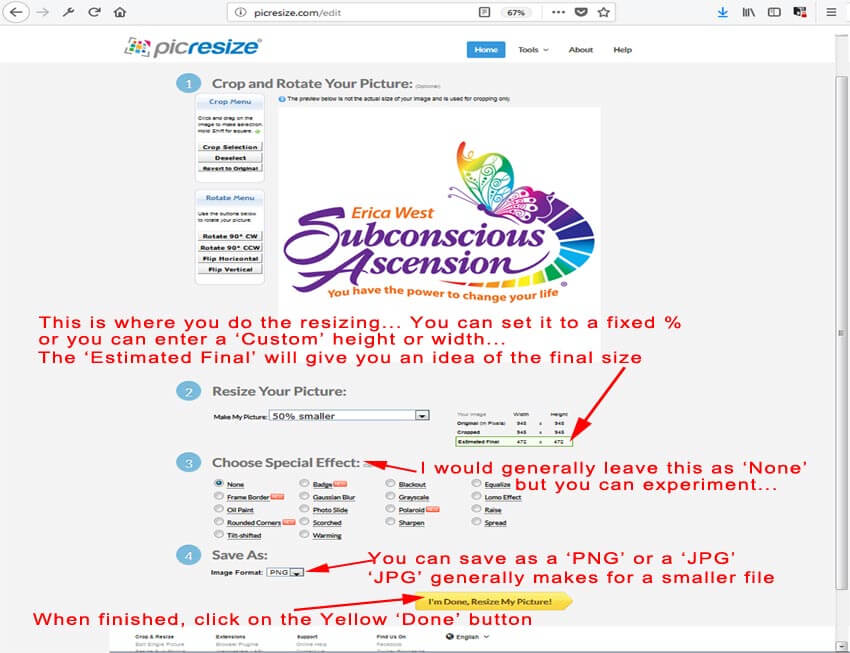
Please follow the quick and easy instructions (below) on how to use this tool to resize your photo/image (jpg, gif, png and bmp images can be used).
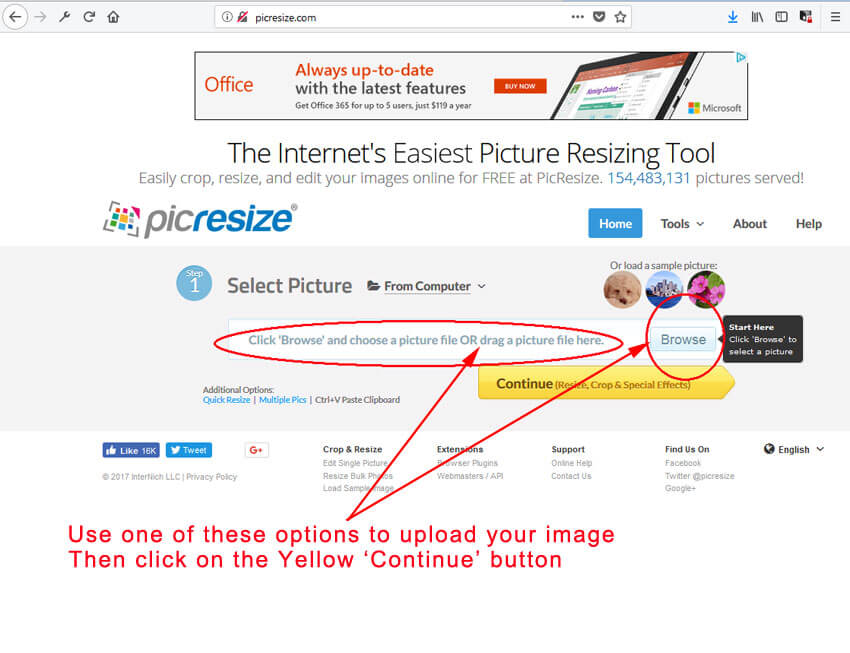
Step 1 - Select your image:
Click on this link to start the Picture Resize tool in your browser, and follow the steps in the images below:
Step 2 - Resize the uploaded image:
Step 3 - Save the resized image to your computer (you can preview or edit your image prior to saving):
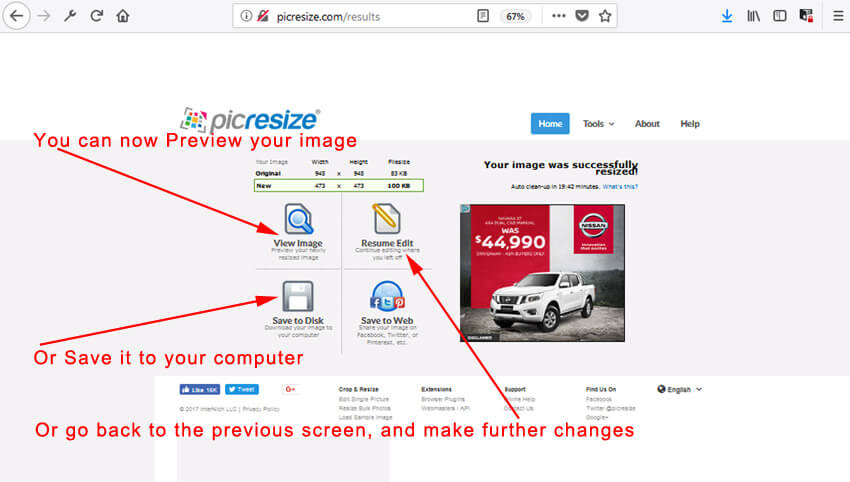
Step 4 - Close down the image resizing tool, and upload your picture (which usually saves to the 'Downloads' file in your computer) into your Testimonial.
Prior to submitting your Testimonial, select 'Choose File' (beside 'Your Picture') and upload your newly-sized picture from the saved copy on your computer.
We appreciate your Testimonial, and trust that your association with us has been most positive. Thank you.